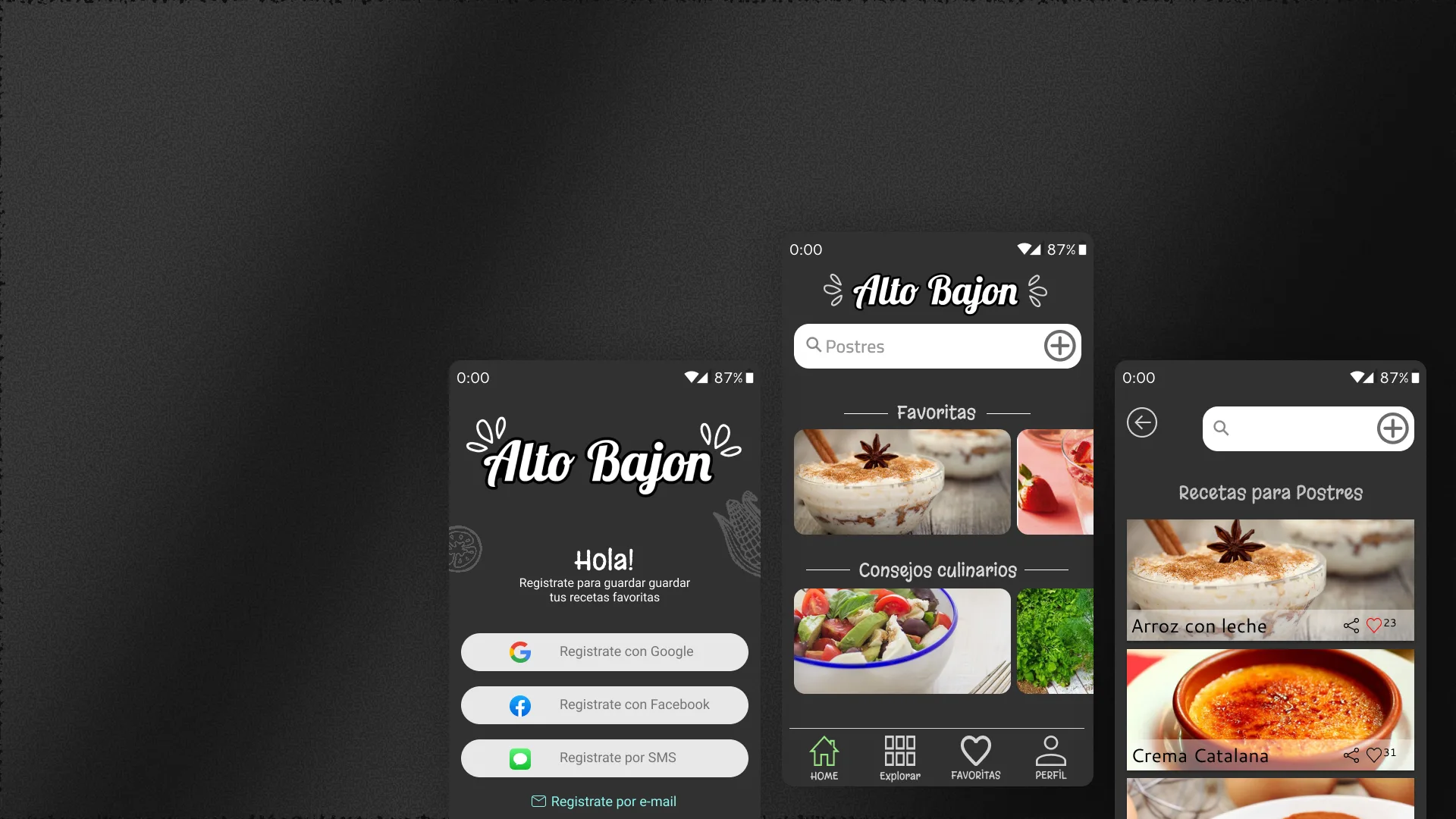
2018 - UX/UI Design / Mobile App
Final project — UX/UI Design Course, CoderHouseAlto Bajon
An Android app for eating healthy with what you already have. Healthy recipes built from the ingredients in your fridge, with no need to go shopping.
— Context
Wanting to eat healthy without having to go out
Many people want to eat healthy but face a logistical barrier: they don't know what to cook with what's at home, or don't have time to go buy specific ingredients.
The challenge was to design an app that solves that everyday problem: enter the ingredients you have in the fridge or pantry and get healthy recipes that can be prepared with those same ingredients.
— Solution
An app that cooks with what you already have
An Android app was designed where the user enters available ingredients and the app builds personalized healthy recipes. Each recipe indicates what ingredients are missing (if any) and suggests alternatives.
The app prioritizes quick and healthy recipes, designed for busy people who don't want to sacrifice nutrition for lack of time or planning.
— Features
Screens designed for healthy eating
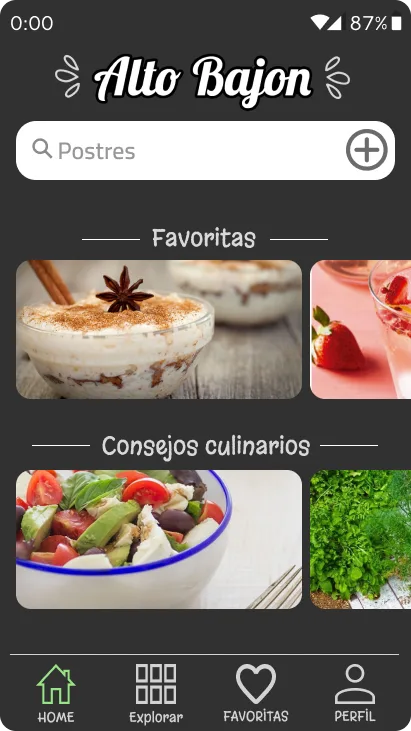
HomeDashboard with ingredients
Main screen showing available ingredients entered by the user and suggesting immediate recipes. Visual design with attractive food photos to whet the appetite and encourage action.
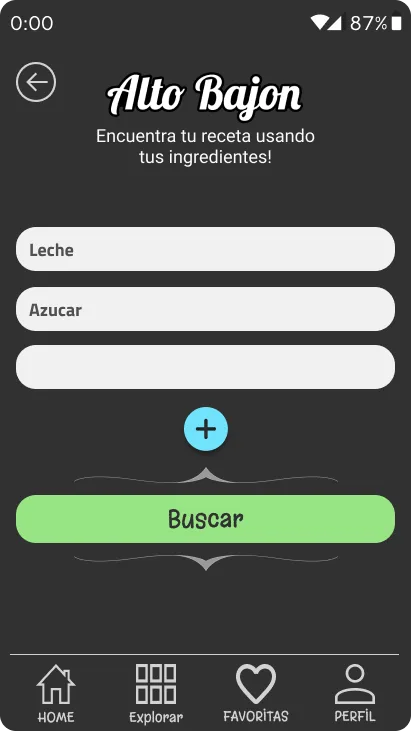
SearchRecipes by ingredient
Search system where the user enters what they have (chicken, rice, tomato) and the app returns recipes that use those ingredients. Quick search with autocomplete and suggestions.
ListFiltered recipes
List view with all recipes that match available ingredients. Each card shows preparation time, difficulty, nutritional value and photo of the final dish.
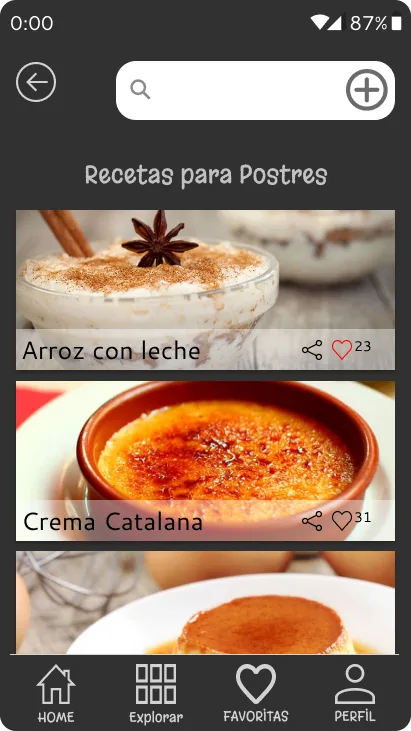
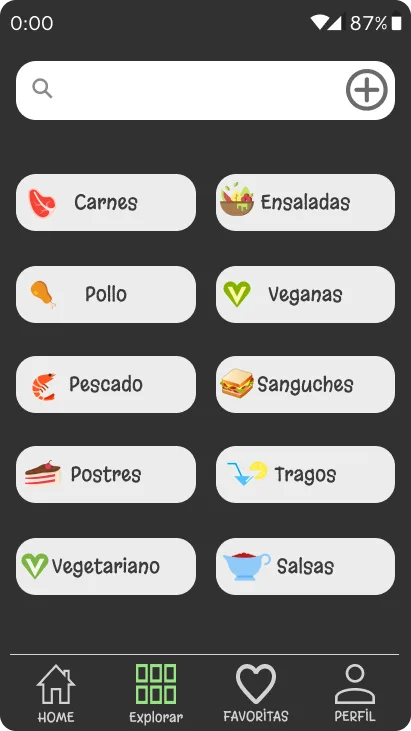
CategoriesDesserts, lunches and more
Category navigation: breakfasts, lunches, dinners, desserts and healthy snacks. Each category filters recipes by time of day and type of meal.
— Tech stack
UX/UI design for Android
All app design was done in Figma. Graphic assets, ingredient iconography and interface visual elements were created with Adobe Illustrator.
— HEURISTICS
Best practices applied.
Based on Jakob Nielsen's 10 usability heuristics.
Visibility of system status
The app shows at all times what ingredients were entered, how many recipes match and navigation progress. The user knows exactly where they are at each step.
Match between the system and the real world
Ingredients use common fridge names: tomato, chicken, rice, milk. No technical terminology that confuses the everyday user.
User control and freedom
The user can freely add and remove ingredients, filter by category and return to the list without losing their selection. No forced flows.
Consistency and standards
All recipes maintain the same layout: dish photo, time, difficulty and nutritional value. Navigation is predictable on all screens.
Error prevention
If the user enters an ingredient that doesn't exist, the app suggests similar alternatives. If ingredients are missing for a recipe, it's clearly indicated before starting.
— Next steps
Learn more about Alto Bajon
Android app for getting healthy recipes with the ingredients you already have in your fridge. No need to go shopping.